
Business operations
From a new order to the label on the box.
The Torva Desk is where the business actually happens. Orders and payments in one queue, shipping labels bought and printed in batches, and a catalog with variants, inventory and certificates that stays in one place.
- Included on every plan
- Zelle, Cash App, Venmo and cards
- 4×6 labels, printed in batches
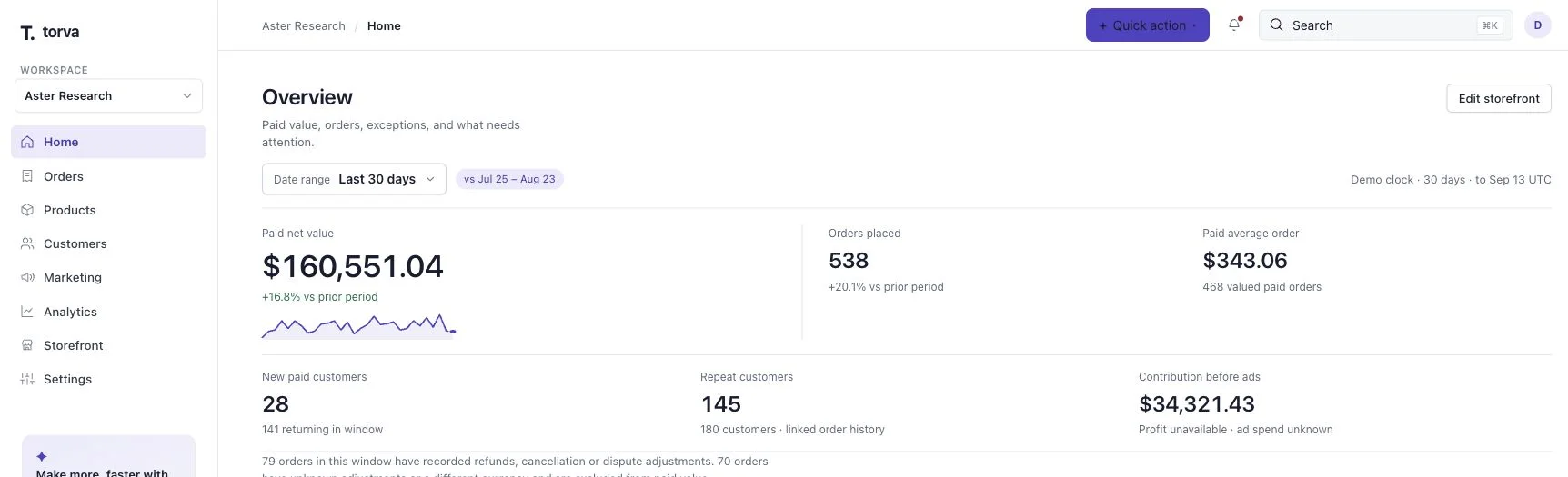
Actual Torva screens · synthetic demo data
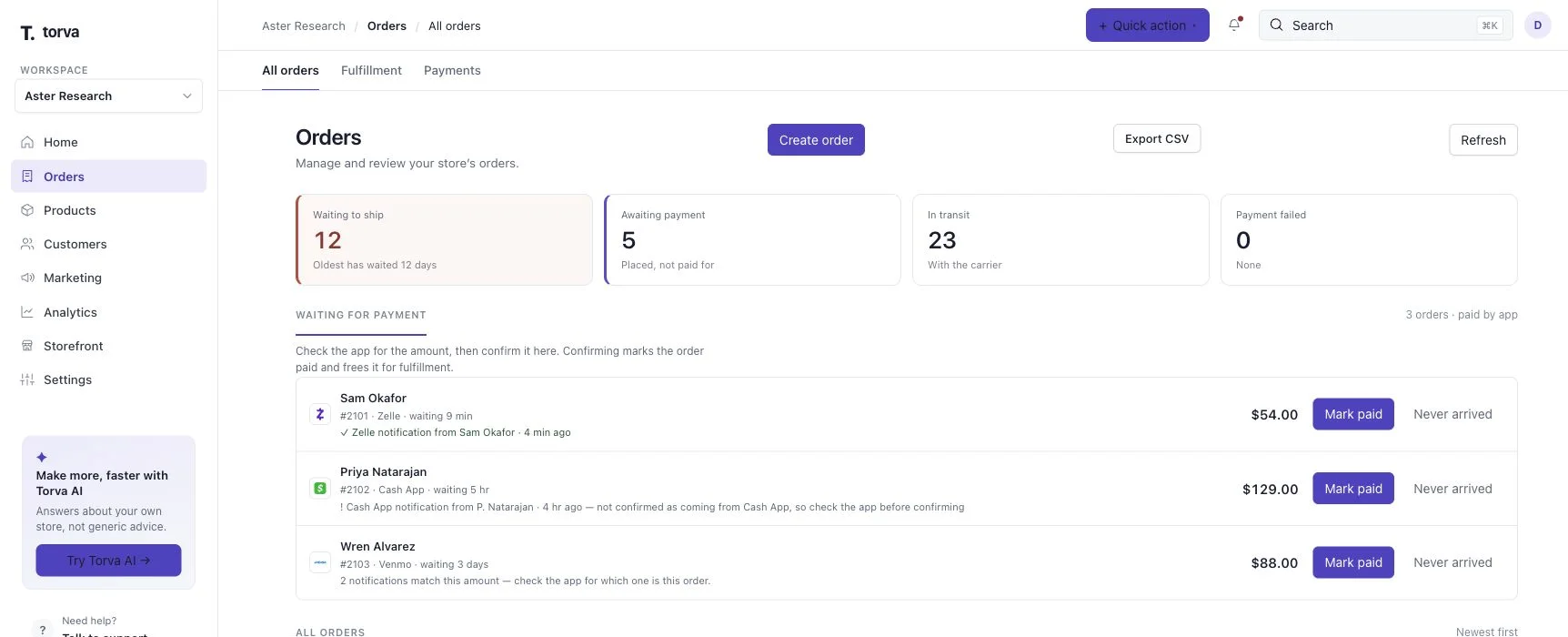
Orders & payments
Every order, and what it is waiting on.
App payments do not confirm themselves. Orders paid by Zelle, Cash App or Venmo wait in their own list with how long they have been waiting, until you confirm the money landed.
- QR codes and payment instructions shown at checkout
- One-click “Mark paid” when the transfer arrives
- Cards through Stripe (NMI and Authorize.net: coming this week)
- Discounts, promotions and gift cards applied on the order
Shipping
Buy the labels, print the batch, done.
Pick the orders you are shipping today, see the postage total before you pay, and print every 4×6 label together with a pick list and a shipping list for the batch.
- See the total cost before you buy the labels
- Print 4×6 labels for a whole batch at once
- A pick list and a printable shipping list per batch
- Tracking recorded on the order and emailed to the customer
Products & inventory
One catalog. Not a spreadsheet beside it.
Variants, stock, quantity pricing and certificates live on the product, so the storefront, the checkout and the Desk are always describing the same thing.
- Variants with their own prices and stock
- Lower unit prices at the quantities you set
- Certificates of analysis attached and published
- Purchase orders, reorder points and reorder suggestions

Built in, not bolted on
The things that go wrong in this category.
Research-supply operations fail in predictable places. These are handled in the Desk rather than left to you to remember.
Why Torva is built for this category- 01
A payment that never arrives
App-paid orders sit in their own queue with a waiting time, so an order that was never paid does not quietly ship.
- 02
A certificate nobody can find
Certificates attach to the product and publish with it, so a customer — or a processor reviewing you — can open the document from the product page.
- 03
Stock you thought you had
Inventory moves with the order. Reorder points and reorder suggestions tell you what to buy before a bestseller goes dark.
- 04
An order with no story
Where the order came from is recorded when it happens, next to the customer and the products, so you are not reconstructing it a month later.
Is all of this in the cheapest plan?
Yes. Orders, payments, shipping labels, products, inventory, certificates, customers and the analytics dashboard are in Core. Growth and Command add marketing, automation and deeper reporting on top.
Does Torva process the payments?
No. You connect your own payment provider, and the processing fees are charged by them, separately from your Torva plan. Zelle, Cash App and Venmo are confirmed manually by you in the Desk; cards run through Stripe, with NMI and Authorize.net coming this week.
How does Stripe fit in?
Stripe connects once your research-ready store is live on your own domain, because that is what their review looks at. Until then you can take payment by Zelle, Cash App and Venmo, which need no approval.
Who buys the postage?
You do, from inside the Desk, at the rates shown before you confirm. Postage is charged by the carrier and is not part of your Torva plan.
Are the screens on this page real?
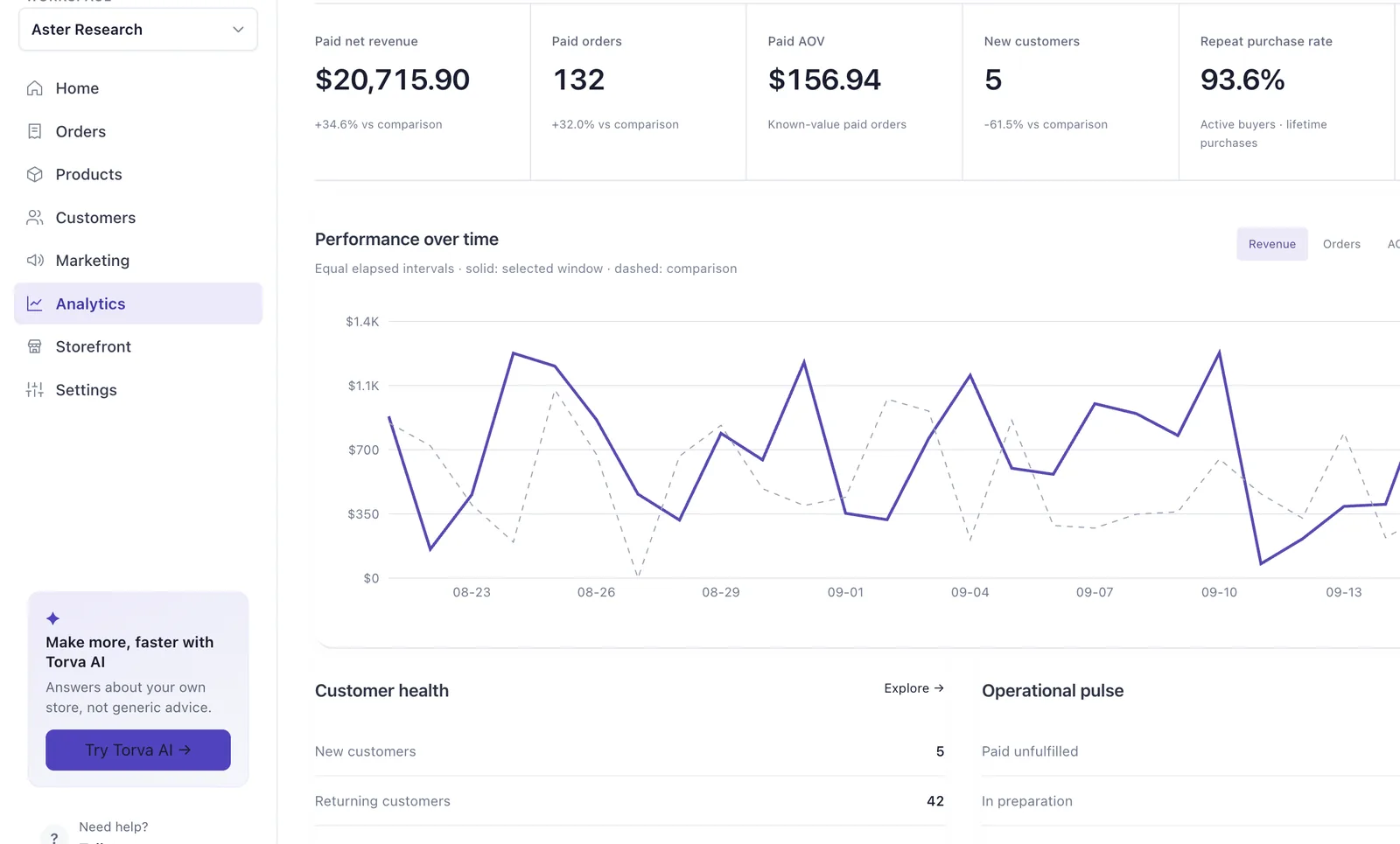
Yes. These are the actual Torva interfaces. The revenue, orders and customer names in them are synthetic demonstration data, not a real merchant’s.

Run the whole thing from one desk.
Build your store free, see every page, and look around the Desk that comes with it before you pay.
No card to start · Plans from $99/month · 30-day money-back guarantee